Pages

Tuesday, September 23, 2014

Control Template and Templated Parent

Hi Friends,

Recently I was discussing some WPF stuff with one of my friends and  we come up with this Nice article  Here we are going to discuss about creating a Control template and how the communication between them is done.  This is quite useful and 
important to understand the Control template, this will make the life easy by reusing the same template for multiple time if required in the same application.  

By Theory The definition of Control Template is  "Specifies the visual structure and behavioral aspects of a Control that can be shared across multiple instances of the control. Mean we will set the behavior of the controls once and the same will be applied where ever we will use this. Like We want to create a Control or lets say Button like this.
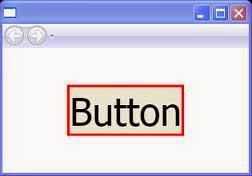


The standard WPF controls all come with default templates that produce the default control
appearances. You can, however, replace those templates with ones of your own design, giving the controls an entirely different appearance. Here is an example of that. Let’s create a sample button


<StackPanel>
  <Button FontWeight="Bold" Click="myButton Click" Name="myButton">
     Click Me
  </Button>
</StackPanel>
private void myButton Click( object sender, RoutedEventArgs e )
{
    MessageBox.Show( "Button Clicked", "Button Message" );
}


To illustrate these concepts, I’ll start with a simple button that uses the default Button template and then replace its control template. The following is the markup that produces a standard button


<StackPanel>
<Button FontWeight="Bold" Click="myButton Click" Name="myButton">
    Click Me
</Button>
</StackPanel>


The next thing I want to do is to create a control template and substitute it for the default Button template. The appearance I want for the button consists of a Border containing a TextBlock


<Window.Resources>
        <ControlTemplate x:Key="myButtonTemplate" >
            <Border Padding="5" Background="AliceBlue" BorderBrush="Green"
                    BorderThickness="5" HorizontalAlignment="Center"
                    CornerRadius="5">
                <TextBlock Text="Control Templates Content"></TextBlock>             
            </Border>        
        </ControlTemplate>
    </Window.Resources>

---------------------------------------------------------------------------------------------------------------------
<StackPanel>
        <Button FontWeight="Bold" Template="{StaticResource myButtonTemplate}"
                Click="Button_Click" Content="Buttons Content1" Name="myButton">       
        </Button>
 </StackPanel>

Let’s run this

It will show Control Template Content. it will not show Buttons content.

To show the Buttons content we need to make following changes
  1. Set the TargetType attribute of the ControlTemplate to Button, as shown in the  following markup line:  
  2. Replace the TextBlock object, which produces the specific output string, with a ContentPresenter object.

To accomplish this, I need to use an object that can retrieve the Content from the templated parent and display that content. The class designed to do this is the ContentPresenter class. To use this, I needed to make two changes to the template declaration they generate the presentation of content to the user interface
The following are some important things to know about the ContentPresenter class:
  1. • The ContentPresenter object acts as a placeholder inside the template to specify where the content should be placed.
  2. • By default, the ContentPresenter gets the actual content from the templated parent and binds it to its own Content property. As a matter of fact, the ContentPresenter doesn’t event allow direct content of its own.
  3. • To use a ContentPresenter, you must set the TargetType attribute of the ControlTemplate to the type of the templated parent.

Template Binding

There are times, however, when you might want the ContentPresenter to use additional properties from the templated parent. The TemplateBinding class is a special type of binding designed for this purpose.
Now I will set the Height and width property of the Button from the Control Template, but it will read the values from the parent Button which is set as Target Type.


<ControlTemplate x:Key="myButtonTemplate" TargetType="Button">
            <Border Padding="5" Background="AliceBlue" BorderBrush="Green"
                    BorderThickness="5" HorizontalAlignment="Center" CornerRadius="5" >
                   
                   
                   <ContentPresenter Width="{TemplateBinding Width}" Height="{TemplateBinding Height}" />             
            </Border>     
        </ControlTemplate>
 <StackPanel>
        <Button FontWeight="Bold" Template="{StaticResource myButtonTemplate}"
                Click="Button_Click" Content="Buttons Content1" Name="myButton"
                Width="180" Height="40">
  </Button>
    </StackPanel>


So some of the important point is 
  1. The appearance of every control is determined by a ControlTemplate object, which specifies the tree of visual elements to be displayed to represent the control.
  2. The control object represented by its visual tree is called the templated parent.
  3. The visual tree of a program consists of the tree comprising the templated parents  and their visual trees.
  4. Inside a ControlTemplate, you can use a ContentPresenter object to display the  Content property of the templated parent.
  5. You can use a template binding to read and use other dependency property values  from the templates parent.
This Article is also published on Technet by one of my Best friend Hemant.  You can Also refer this Here.  "Control Template ". Please provide your thoughts and idea on Control template and or in WPF.


Thanks & Regards
Anil Kumar Pandey
Microsoft MVP, Microsoft MCC, DNS MVM


One ASP.NET

With  Visual Studio 2013, the Application or  project type to choose for creating a web application is not there. There is now only one web project type in Visual Studio. Called ASP.net Web application


Now Once you select this You will come up with multiple option to select with. This is simply give a feeling that every thing is combined to one. There are sub option which you are choose as per your requirement.


Here You can see multiple Sub project option or the ready made scaffolding.

Empty :         Template will come with a project solution on .

Web form :    For traditional Web Form application.

MVC :           Scaffolding for MVC application with inbuilt folders of Model, View and controller.

Web API:       Scaffolding for WEB API, powerful way of handling resource or service.

Single Page : For application having a single page it can be a static or dynamic page but with a single page.

Facebook:    Scaffolding for social networking application like Facebook. 

Now  for this Entire application structure we can have a single authentication option this can be selected suign the Authentication option available in this scaffolding  option. Check the image below.


There are multiple option are available like

No Authentication

Individual User Account

Organisation Account

Windows Authentication


Its now become a part of complete package where all the type are inbuilt a single option called ONE ASP.NET.


Hope you all have got a idea that what is One ASP.NET. Please feel free to provide your comment on the same.


Thanks & Regards
Anil Kumar Pandey
Microsoft MVP, Microsoft MCC, DNS MVM


Tuesday, July 1, 2014

New MVP for July 2014 Quarter

Hi friends,

Please join me in congratulating the Community star, who are awarded by Microsoft for their exceptional contribution towards technical community.


Re-Awardees
New Awardees
Subodh Sohoni - Visual Studio ALM
Venkata Ramesh Raju - Lync (Bangalore)
Abhimanyu Singhal - Visual Studio ALM
Alok Pandey - ASP.NET/IIS (Kathmandu)
Nishanth Anil - Visual C#
Prashant Kumar - Consumer Security (Jamshedpur)
Siddharth Rout - Visual Basic
Deepak Singh Dhami - PowerShell (Bangalore)
Santosh Bhandarkar - Directory Services
Bijaya Sahoo - SharePoint Server (Bangalore)
Ravikanth C - PowerShell
Selva Ganapathy Kathiresan - Visual C# (Chennai)
Shiju Varghese - Microsoft Azure
Kunal Chandratre - Microsoft Azure (Pune)
Vikram Pendse - Windows Development
Sumit Bansal - Excel (Ghaziabad)
Madhivanan JR - SQL Server
Anubhav Ranjan - Windows Development (Bangalore)
Manu Philip - Exchange Server
Amol Ghuge - SharePoint Server
Ashutosh Singh - SharePoint Server
Abhimanyu Vatsa - ASP.NET/IIS
Asheej Kommery - ASP.NET/IIS
Brij Bhushan Mishra - ASP.NET/IIS
Shivprasad Koirala - ASP.NET/IIS
Suprotim Agarwal - ASP.NET/IIS
Nirmal T V - Windows Consumer
Shantanu Kaushik - Windows IT Pro


A Very warm welcome to all the new Folks and Happy to see the names who are re awarded. Hope to see you soon in the community meet.

Thanks & Regards
Anil Kumar Pandey
Microsoft MVP, Microsoft MCC, DNS MVM

Saturday, June 28, 2014

Microsoft has announce that Visual studio is going to support a lot of open source technology. They have collaborated with a lot of open source developers to bring their support in. Recently Mr. S. Somasegar ( corporate vice president of the Developer Division at Microsoft) gives some idea that how Microsoft is  going to support Open source community. Here are some of the points from his blog.

Open Source in Visual Studio 2013 and TFS 2013
Visual Studio 2013 builds upon a lot of great open source software.  In fact, many developers are surprised to hear just how much OSS is part of Visual Studio and Team Foundation Server.  Scott Hanselman has been sharing this slide in some of his talks, summarizing the open source projects used in various Visual Studio offerings.
 
Some of these are projects started by individuals or teams at Microsoft, and now developed as open source.  Others are projects where we have become contributors to successful existing open source projects.  And others are places where we have been able to build on top of the great work in the open source community to provide richer capabilities in Visual Studio.
We couldn't ship Visual Studio without these projects, and I'd like to join Scott in thanking everyone who has contributed to these projects for the support they've provided to Visual Studio 2013 and TFS 2013.
To highlight some of the flavor of open source in Visual Studio, here's a few examples:
LibGit2
Visual Studio and Team Foundation Server now support Git source control natively, and Visual Studio developers are using distributed version control via Git across a wide variety of development activities in Visual Studio.
Our support for Git builds upon the libgit2 project, also used by GitHub and others in the Git community.  Several Microsoft employees in our version control team now actively contribute to this project, helping to support this cross-platform, linkable, Git library written in C, as well as providing first-class support for the library on Windows.  We also actively contribute to the libgit2sharp project which provides a .NET wrapper around the libgit2 library.  This makes it easy for any .NET developer to quickly build integration with Git. 
Building upon these two libraries in our Visual Studio integration enabled us to deliver great support for Git in Visual Studio while contributing back to the community and providing additional testing and validation for the open source library.
Node.js Tools for Visual Studio
We recently released a preview of Visual Studio support for Node.js.  This project supports editing, project management, profiling and debugging for the open source Node.js platform from within Visual Studio. 
The Node.js Tools for Visual Studio project is developed on CodePlex and has had major contributions from industry partners, including NPM management UI and Edit and Continue support.  The project also builds upon the open sourceNode.js platform generally, with support for debugging based on the open-source V8 engine's debugger protocol.
Speaking of Node.js, we also have an open source Node.js SDK for Windows Azure.  We have partnered with Microsoft Open Tech, our open source subsidiary, to make contributions to Node.js core to ensure it works great on Windows and Windows Azure.
ASP.NET Web Stack
Two years ago, we open sourced the ASP.NET web stack on CodePlex and transferred it to MS Open Tech.  Since then, the project has benefited from significant contributions from many developers from the community.  These ASP.NET technologies continue to be the foundations of one of the most heavily used project types in Visual Studio.
The ASP.NET developer ecosystem has also increasingly adopted open source technologies as core pieces of the modern ASP.NET web development platform.  In Visual Studio, we now include many of these projects as part of the default templates, including JSON.NET, OWIN, jQuery, Modernizr and Bootstrap.
TypeScript
We decided early on that we wanted TypeScript to be an open source language and compiler.  Developing TypeScript on CodePlex over the last 18 months has enabled us to evolve the language and tools rapidly toward the upcoming TypeScript 1.0. 
We've also seen a great open source community build up around TypeScript, including build system integration and IDE support in Eclipse, WebStorm and more.  One especially interesting project in the TypeScript open source community isDefinitelyTyped, which hosts a curated collection of TypeScript library typings for over 300 popular JavaScript libraries, with over 4000 contributions from over 350 people.  And in n Visual Studio 2013 Update 2, we've added features to make it easy to find these library typings, building on this great open source project.
Looking Forward
These projects are just a sampling of the places we're working with open source in our developer tools.  The trend these examples highlight is one that I fully expect to accelerate both in our developer tools and across additional platforms and applications at Microsoft.  I'm happy to see the benefits developers are seeing from our partnerships with open source over the last few years, but also looking forward to the opportunities we have ahead of us. 

Anil Kumar Pandey
Microsoft MVP, Microsoft MCC, DNS MVM

Knockout.js

Knockout.js is a JavaScript library Which works on the principal of Model – View – View Model. It allows us to bind html elements of the view with data model. The best part of Knockout is it provides a simple two-way data binding between data model and UI element. In Simple Words if you make any change in the  data model then those changes will be automatically reflected in the DOM(UI) or if there are any changes done against DOM elements those will automatically reflected to the data model.  We can say that these are similar to the Binding features present in WPF.

Some of the Key benefits of Knockout are :

Ø  Bindings of UI elements with data model. 
Ø  Dynamic data model creation is simple.  
Ø  Knockout supports event-driven programming model.  
Ø  Cross browsers are support.

Knockout was developed and maintained by Steve Sanderson, a Microsoft employee. This is a Open Source product. We can get the Library or files from the Below mentioned Location.

Using nu-get 

To install knockout.js, run the following command in the Package Manager Console

PM> Install-Package knockout.js         
The Latest version is knockout.js 3.1.0. It is also available on the CDN at below mentioned location.


Sample Application in Knockout  Hello, Planet Earth!

 Create the Below  Two Text Box on the HTMl page.

First name: < input data-bind="value: firstName" />
Last name: < input data-bind="value: lastName" />

Hello, data-bind="text: fullName"> !


Use the Knockout binding as below. Note the Word KO is  the short-form of Knockout. Which is reserved for referring  Knockout object.

// create data model
var ViewModel = function(first, last) {
    this.firstName = ko.observable(first);
    this.lastName = ko.observable(last);

    this.fullName = ko.computed(function() {

 // Binding will be take care by Knockout.

       return this.firstName() + " " + this.lastName();
    }, this);
};

// Relation will be bind by below satatement 
ko.applyBindings(new ViewModel("Planet", "Earth"));

You can download the sample application from Download. Please share your comments on the same. Will be happy to answer any doubts if you have. :)

 Thanks
Anil Kumar Pandey
Microsoft MVP, Microsoft MCC, DNS MVM


Kontera